





































































































































































































How to Buy
Step-by-step guide to place your order.
Follow these simple steps to shop on KBKART — from browsing products to placing your order.
Browse products on Home or Shop
Open the homepage or visit KBKART Shop. Use search, categories, or scroll through Flash Sale and “Just For You” products.


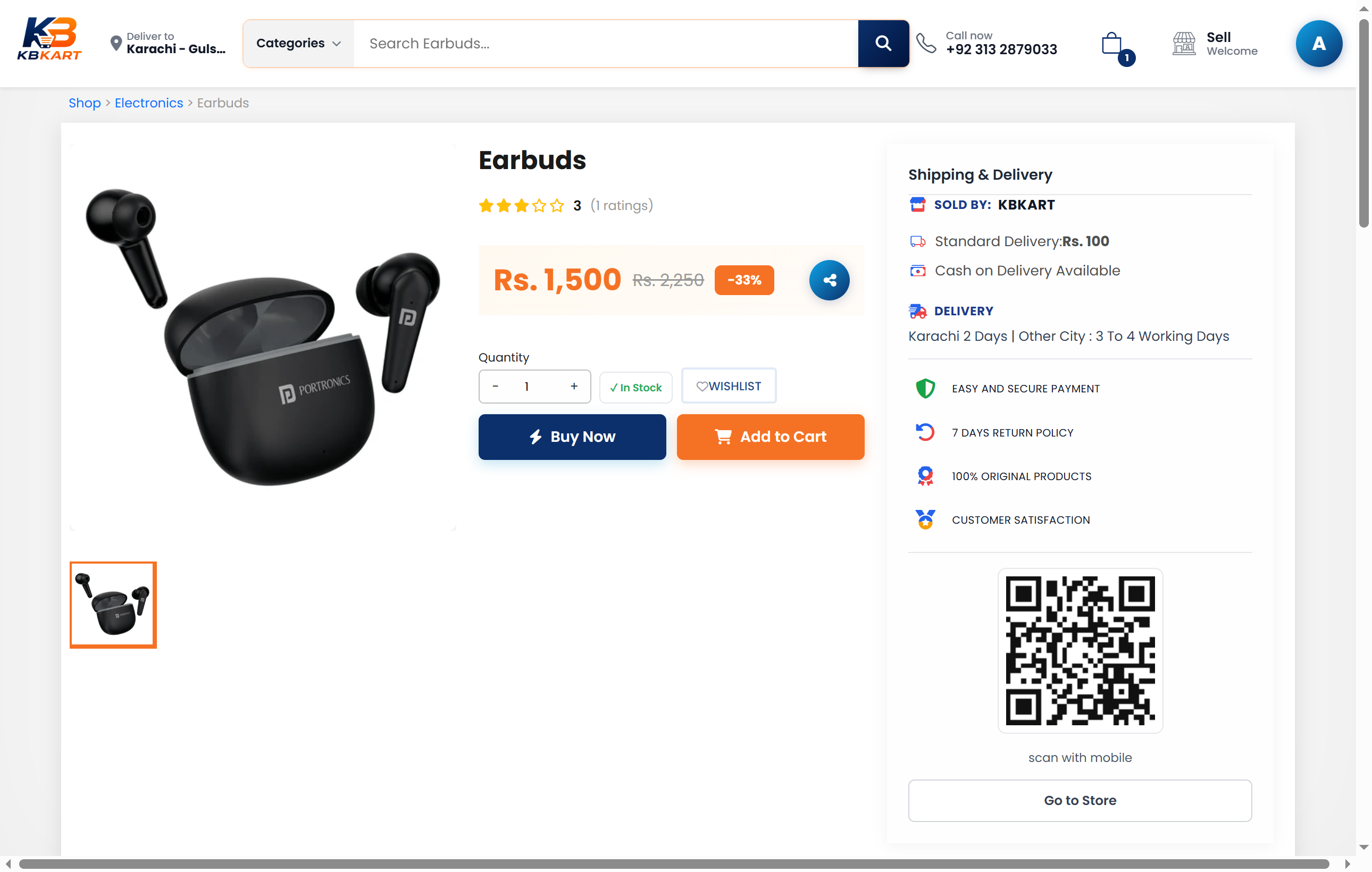
Open a product & add to cart
Click any product to see price, photos, description, and delivery info. Choose quantity, then tap Add to Cart or Buy Now.
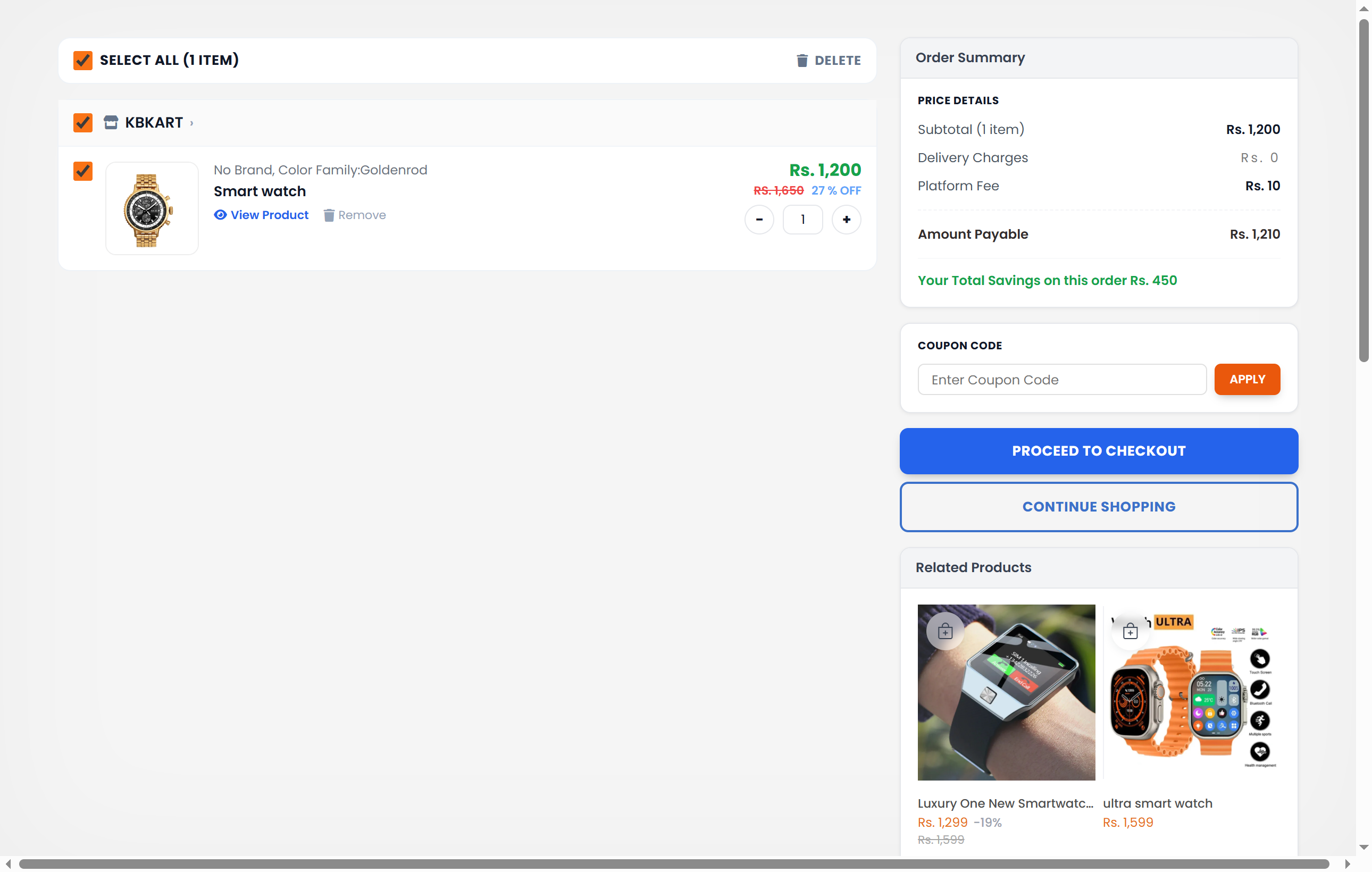
Review your cart
Click the shopping bag icon in the header. Check items, quantity, and savings. Apply a coupon if you have one, then click Proceed to Checkout.
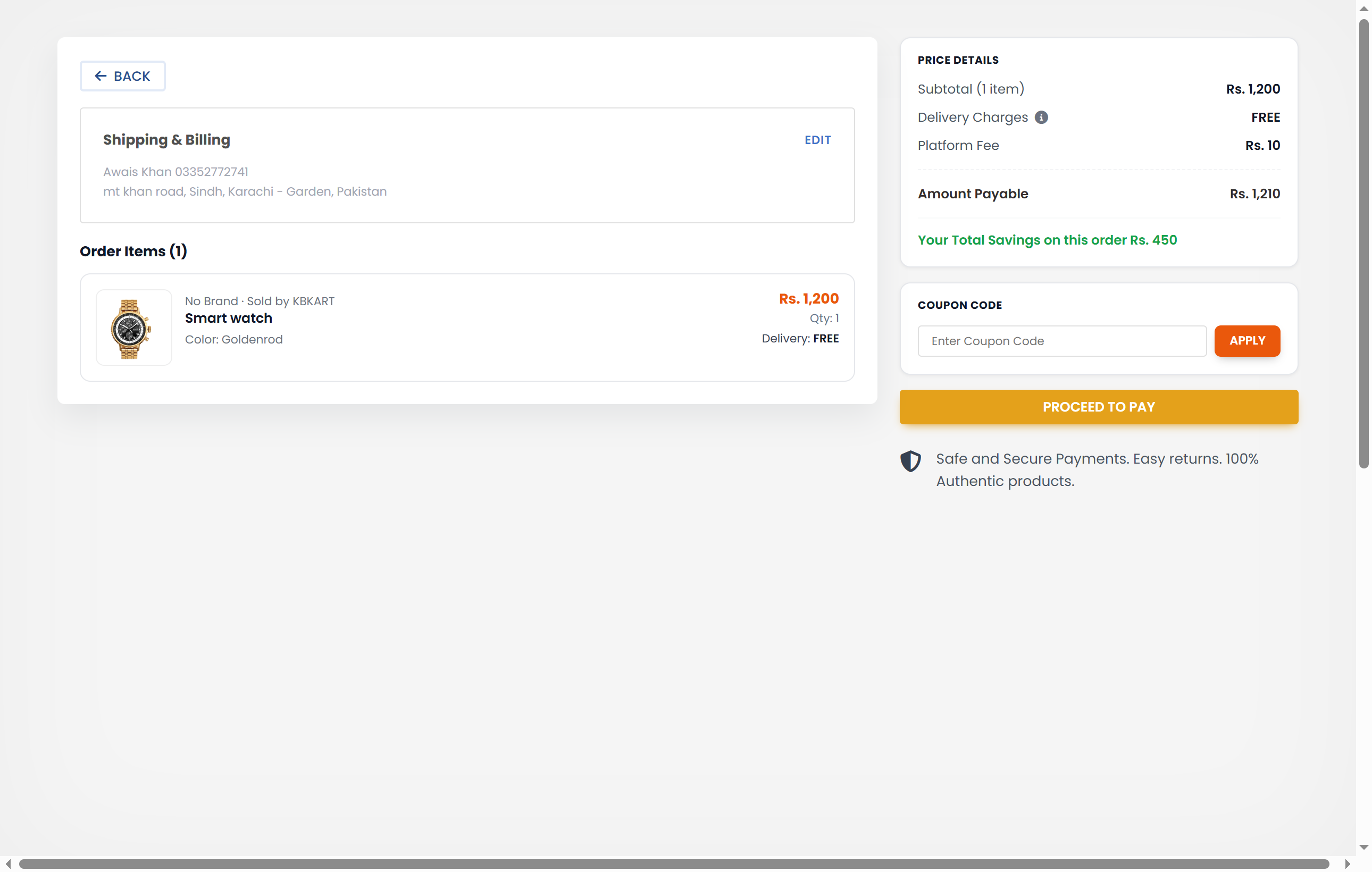
Enter delivery address
On checkout, fill in your name, phone, province, city, and full address. Optionally add remarks for the courier. Save the address, then review the order summary on the right.
Choose payment & place order
Click Proceed to Pay. Select a payment method:
• Cash on Delivery (COD) — pay when the parcel arrives.
• Easypaisa / JazzCash / Bank — transfer the amount, upload payment screenshot, check I have paid, then confirm.
Click Confirm & Place Order. You will receive confirmation and can track the order in Account → All Orders.
